


Download Official U9Play App Installer on u9playapp.com
Get the Official U9Play App Installers on u9playapp.com
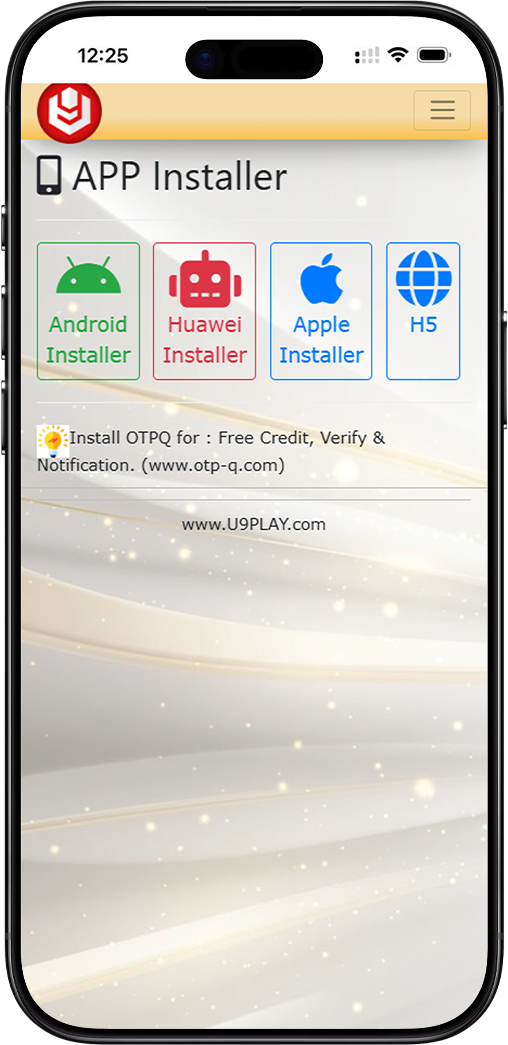
Welcome to the U9Play App download page on u9playapp.com. Here you can choose the best installer for your device to get the official U9Play App, including the Android Installer (APK), Huawei Installer, Apple Installer for iOS, or opt for H5 web access. Each option is designed to help you download and launch the U9Play App smoothly, with clear steps so you can install confidently and avoid unofficial sources.
Simple Steps to Download the U9Play App
Step 1: Choose Your Device Installer for the U9Play App
Select the installer option that matches your device to download the U9Play App. You can choose Android Installer for most Android phones, Huawei Installer for Huawei devices, Apple Installer for iPhone and iPad, or H5 for browser-based access to the U9Play platform without installing an app.
Step 2: Start the U9Play App Download and Follow On-Screen Instructions
After selecting an installer for the U9Play App, follow the instructions shown on screen. For mobile installs, confirm download prompts and allow your device to complete the installation process. If you are using H5, simply open the web version and begin using U9Play directly in your browser.
Step 3: Complete Any Required Verification Tools for the U9Play App (If Prompted)
Some U9Play App services may require verification tools such as OTPQ for notifications, verification, and secure access. If you see a prompt for OTPQ while setting up your U9Play App, install it from a trusted source and complete setup before continuing.
U9Play App Download Options by Device
Android Installer (Recommended for U9Play App on Android Phones)
Choose the Android Installer to download the U9Play App on Android devices. This option provides a direct APK file for a straightforward installation flow. After downloading the U9Play App, follow your device's installation prompts and open U9Play once the setup is complete.
Huawei Installer (Optimized for U9Play App on Huawei Devices)
Use the Huawei Installer to download the U9Play App on Huawei devices. This installer is optimized for Huawei phone systems and helps ensure smoother installation and compatibility for the U9Play App. Follow the guided steps to complete installation and launch U9Play.
Apple Installer (U9Play App for iPhone & iPad iOS Devices)
Select the Apple Installer to download the U9Play App for iOS devices such as iPhone and iPad. Follow the iOS installation instructions provided, then open the app to sign in and continue your U9Play experience securely on your Apple device.
H5 Web Access (U9Play Platform – No App Installation Needed)
Prefer not to install the U9Play App? Choose H5 to access the U9Play platform directly through your mobile or desktop browser. This option is convenient for quick access, travel use, or devices with limited storage, while still allowing you to use core U9Play features without a full app download.
Safe Download Tips for the U9Play App on u9playapp.com
For the best experience with the U9Play App, always download using the official installers provided on u9playapp.com. Avoid unknown third-party download links, keep your device updated, and ensure you have a stable internet connection during installation of the U9Play App. If your device blocks installation, review your security settings and allow trusted installations where appropriate to successfully install the U9Play App.
Download the U9Play App Installer Now
Choose your device installer on u9playapp.com—download the U9Play App for Android, Huawei, Apple, or use H5 web access and start using U9Play in minutes.
Download App - Malaysia Download App - Singapore